


Latest Blog Posts
How to Get a Verified Business Profile (and Why It Wins Customers)
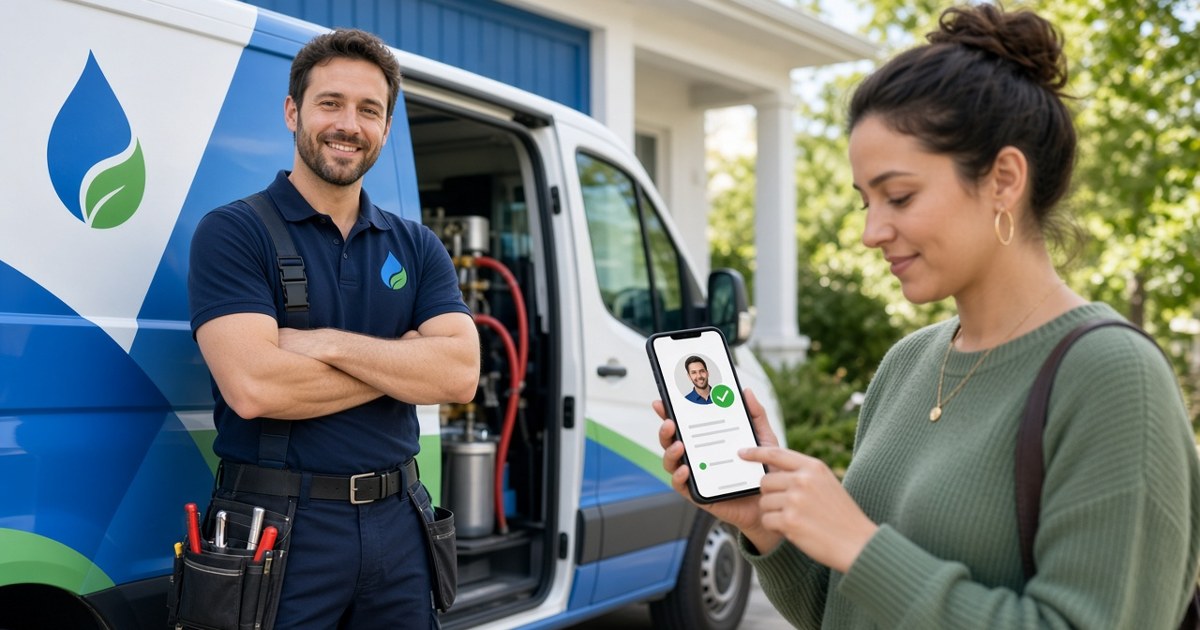
When a customer looks for a plumber, an accountant, a caterer, or a commercial cleaner, they are usually comparing several businesses they have never met. Price and photos matter, but the first question in most buyers' minds is simpler: can I trust this business to show up, do the work, and stand behind it?
A verified business profile is one of the clearest ways to answer that question before the customer ever picks up the phone. This guide explains what verification means, how the process works on Better Sales Pro, and how to make the most of it once you are verified.
What "verified" actually means
"Verified" gets used loosely online. On some platforms it only means someone confirmed an email address. On others it means a person reviewed a document. Customers are getting better at telling the difference, so it pays to be specific about what has been checked.
Common types of business verification
- Identity and ownership: confirming that the person managing the profile actually represents the business.
- License verification: confirming that a trade or professional license is valid and in good standing with the issuing authority.
- Insurance verification: confirming that the business carries the insurance it says it does.
- Contact verification: confirming that the phone number, email, and address on the listing are real and reachable.
How other platforms handle it
Verification is not unique to any one directory, and it is not always free. Yelp, for example, describes its Verified License badge as "a paid advertiser feature available to businesses in certain categories and regions," and says its moderators check the license against the issuing authority's information (Yelp for Business support). Yelp also notes that only trade licenses qualify, not general business licenses or tax documents.
The BBB takes a different approach. Businesses can claim a free profile, while BBB accreditation is a separate membership with its own standards and dues (BBB).
The takeaway: before you pay for any badge, find out exactly what is being checked and what it costs.
How verification works on Better Sales Pro
Better Sales Pro's Professionals Directory shows badges such as License verified and Insurance verified on eligible profiles. Here is how to get there.
Step 1: Create your professional profile
Start at the Join the professional network page. Add your profession, business information, and the service areas you cover. Be precise: customers filter by location and category, so a vague profile is harder to find.
Step 2: Understand that a profile is not automatically verified
Better Sales Pro is clear about this: creating a profile does not automatically verify it. Verification is a separate review. That separation is a feature, not a hurdle. If badges were handed out automatically, they would not mean anything to customers.
Step 3: Submit what the review needs
Have your license number, issuing authority, and proof of insurance ready. Matching the business name on your documents to the name on your profile avoids delays.
Step 4: Publish and keep it current
Your profile goes through the review and publication process before it appears. Once it is live, update it whenever your license renews, your insurance changes, or you add a new service area. An out-of-date badge is worse than no badge.
Why verification helps you win customers
It answers the trust question early
Most customers shortlist businesses before they contact anyone. A badge that says your license or insurance was checked helps you make the shortlist instead of being filtered out.
It sets you apart from unverified listings
In a list of similar businesses, the verified ones stand out visually. If two vendors have similar reviews and prices, the one with a verified license often looks like the safer choice.
It supports higher-value work
Commercial clients, property managers, and larger homeowners' projects often require proof of license and insurance before they sign. Having that proof already reviewed and displayed shortens the back-and-forth.
It pairs well with reviews
Verification tells customers you are legitimate. Reviews tell them you are good. Better Sales Pro profiles display both, so ask satisfied customers to leave a review once your profile is live.
Tips to get the most from a verified profile
- Use your real business name everywhere. Your profile, license, insurance, and website should match.
- Choose accurate categories. List the services you actually want more of.
- Add clear service areas. Name the cities or regions you serve.
- Write a short, specific description. Say who you serve, what you do, and what makes you different.
- Add photos of real work. Skip stock images.
- Respond quickly. Verification earns the click; responsiveness earns the job.
- Link your profile from your website and email signature. Send people to the proof.
Who should get verified
Any licensed or insured business benefits, including contractors, electricians, HVAC and plumbing companies, landscapers, cleaning services, pest control, auto services, bookkeepers, insurance brokers, legal and financial professionals, and B2B vendors. If you work in real estate, visit WE ARE REALTY instead.
Frequently asked questions
Is my profile verified as soon as I create it?
No. On Better Sales Pro, creating a profile does not verify it automatically. Verification is a separate review.
What documents should I have ready?
Have your license number and issuing authority, plus proof of insurance if you want an insurance badge. Exact requirements can vary by profession and location.
Does verification cost money?
Check current details on the Better Sales Pro pricing page or contact the team. Some business tools require a paid plan, and a professional profile is separate from those paid tools.
What if my license expires?
Update your profile as soon as you renew so your information stays accurate.
Can I be verified if I am not licensed?
Some professions do not require a license. You can still create a complete profile, collect reviews, and show customers your work.
Get verified on Better Sales Pro
Customers want proof before they hire. Give it to them up front.
Create your professional profile on Better Sales Pro, start the verification review, and pair it with the free CRM to manage every lead your profile brings in.
A Free CRM for Contractors and Service Vendors: What You Need and Why
Ask a contractor where their leads live and you will often hear: "My phone, a notebook in the truck, a few emails, and my office manager's spreadsheet." That works until it doesn't. A missed callback, a forgotten estimate, or a past customer who hired someone else because you never followed up can cost far more than the time it takes to get organized.
A CRM (customer relationship management system) fixes that. This guide explains what a CRM does for contractors and service vendors, what features actually matter, and how to get started with the free CRM from Better Sales Pro.
Why contractors and vendors need a CRM
Leads come from everywhere
Phone calls, texts, website forms, directory profiles, referrals, and marketplace leads all arrive in different places. A CRM puts them in one list.
Jobs have many steps
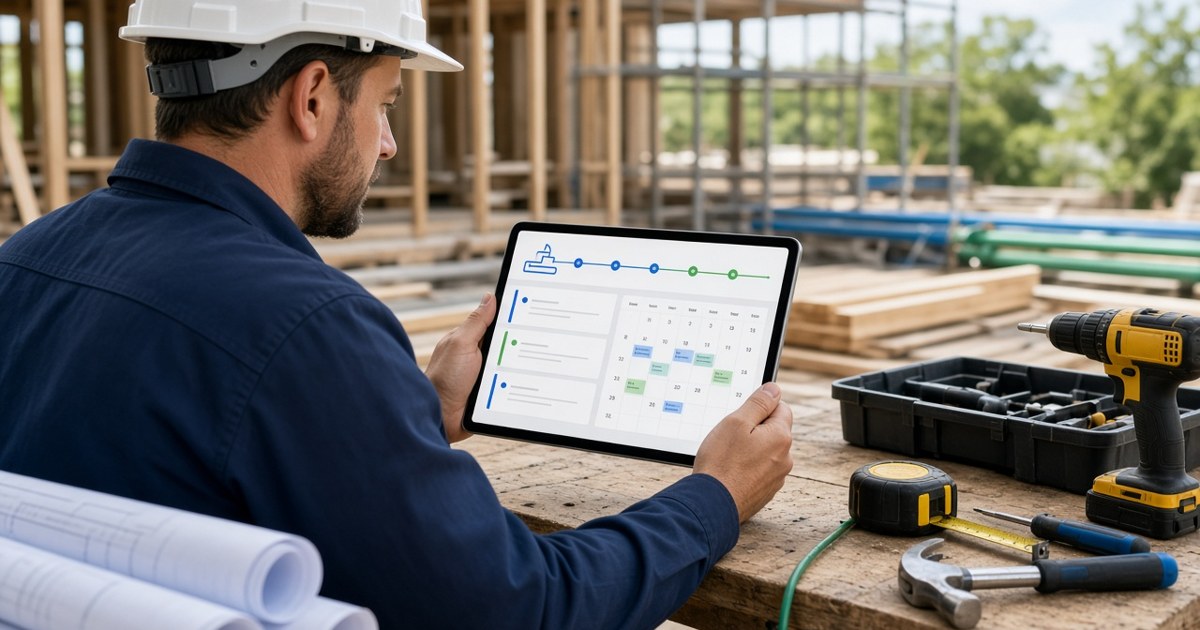
Inquiry, site visit, estimate, follow-up, contract, scheduling, work, invoice, review request. Each step is a chance for something to slip. A pipeline shows exactly where every job stands.
Repeat and referral work is the cheapest work
Your past customers already trust you. A CRM helps you remember who they are, what you did for them, and when to reach out again.
Your team needs the same information
When the office, the crew, and the owner see the same customer record, nobody asks the customer to repeat themselves.
What to look for in a CRM
Must-haves
- Contacts and companies: customers, property managers, suppliers, and subs in one place.
- A deal pipeline: stages that match how you actually sell work.
- Tasks and reminders: so callbacks and follow-ups happen on time.
- Mobile access: because you are not at a desk most of the day.
- Email sync: so conversations stay attached to the customer.
Nice-to-haves as you grow
- Estimates, proposals, and e-signatures.
- Invoicing and payments.
- Scheduling and time tracking.
- Email and text campaigns to past customers.
Watch out for
- Per-user pricing that balloons as your team grows.
- Long contracts.
- Features you will never use bundled into a higher price.
What the Better Sales Pro free CRM includes
According to the Better Sales Pro pricing page, the free CRM is $0 per month and includes:
- Contacts and companies
- Deal pipeline
- Tasks and reminders
- Email sync basics
- Mobile access
No credit card is required to start, according to the site.
Add only what you need
Instead of forcing you into a bigger package, Better Sales Pro lists optional add-ons you can turn on individually. Examples from the pricing page:
| Add-on | Listed price |
|---|---|
| Estimates and proposals | +$19/mo |
| E-signatures | +$15/mo |
| Invoicing and payments | +$29/mo |
| Scheduling | +$19/mo |
| Time tracking | +$10/mo |
| SMS campaigns | +$19/mo |
| Automation and workflows | +$29/mo |
Prices are as listed on bettersalespro.com at the time of writing; check the pricing page for current details. The site says you can cancel or change anytime, with no long-term contracts.
Setting up your CRM in one afternoon
Step 1: Sign up
Create your account at bettersalespro.com.
Step 2: Import your contacts
Pull customers from your phone, email, and spreadsheets. Start with the last year of customers and current open estimates.
Step 3: Build your pipeline stages
Keep it simple. For example: New inquiry, Site visit scheduled, Estimate sent, Follow-up, Won, Lost.
Step 4: Add every open job
Put each active lead or estimate into the right stage, with a next task and due date.
Step 5: Set a daily habit
Spend ten minutes each morning on today's tasks. That habit is what makes a CRM pay off.
Connect your CRM to a verified profile
A CRM manages leads; you still need customers to find you. A Better Sales Pro professional profile puts your business in the Professionals Directory, where customers compare reviews, services, and credentials. Profiles can display License verified and Insurance verified badges after a separate verification review.
Together, the profile brings inquiries in and the CRM makes sure each one gets a response.
Who this is for
Better Sales Pro's industry pages cover trades and service businesses including HVAC, plumbing, roofing, painting, landscaping, pest control, cleaning services, general contractors, field service technicians, and auto services, plus professional services and B2B vendors. Real estate professionals should visit WE ARE REALTY.
Frequently asked questions
Is the Better Sales Pro CRM really free?
The core CRM is listed at $0 per month. Optional add-ons are paid and priced individually on the pricing page.
Do I need a credit card to start?
The site says no credit card is required.
Can my crew use it from the field?
Mobile access is included in the free CRM.
What if I need invoicing or estimates later?
Turn on those add-ons when you are ready. You do not need to switch systems.
Am I locked into a contract?
The pricing page says there are no long-term contracts and you can cancel or change anytime.
Get organized for free
Stop losing jobs to missed follow-ups. Start your free Better Sales Pro CRM, then add the tools you need from the pricing page as your business grows.


Categories
- Company ( 0 )
- Architecture ( 1 )
- Residential Sales ( 13 )
- Residential Lease ( 0 )
- Ideas ( 0 )
- Design ( 0 )
- Landscaping ( 0 )
- Professionals ( 17 )
- Management ( 4 )
- Investments ( 7 )
- Trends ( 11 )
- Commercial ( 3 )
- Marketing ( 0 )
- Local SEO ( 0 )
- Small Business Tips ( 0 )
- Contractors & Trades ( 0 )
- Websites & Ecommerce ( 0 )
- CRM & Sales ( 0 )
